Make your first picture book
Build character and setting references
Create, upload, and manage characters, places, and props so later picture-book frames share a visual foundation.
The Premise workspace stores the shared visual foundation of the picture book. A premise item may be a character, place, prop, or other reference, with descriptive data, tags, and multiple image versions for later frame generation.
Establish the overall visual style
Open Premise → AI batch generation and enter the project’s default visual style—for example, “children’s watercolor picture book, soft paper texture, warm backlight, simple outlines.” Describe traits that should remain stable instead of actions needed by only one frame.
Generate premise items in a batch
- Start a batch and describe the main characters, places, key props, and visual traits that must stay consistent.
- Importing
STORY.mdquickly adds story context but overwrites the current input. Save any custom requirements first. - Generate the premise overview image. Check character count, clothing, color, and setting against the story.
- For a good overview, choose “Confirm and break down.” Lumi turns it into separate, searchable, reusable premise items.
- Generate another overview candidate when needed. A new attempt does not automatically remove earlier candidates.
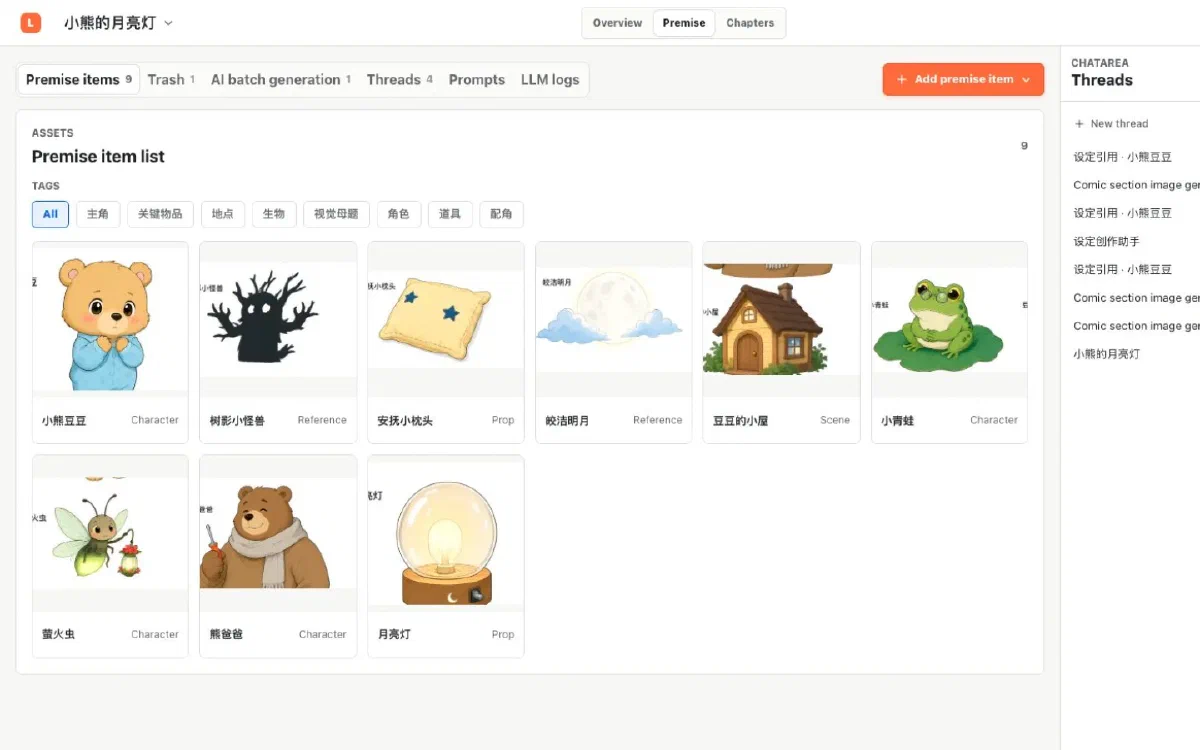
Upload existing reference art
If you already have character or setting designs, use “Upload premise items”:
- Select, drop, or paste one or more images.
- Enter the type, name, summary, and tags for each image.
- Upload and wait for validation. Lumi verifies the real file type and image content before finalizing the project asset.
Upload only art you have the right to use. Avoid private information, external watermarks, or material with unclear licensing.
Manage one premise item
- Open Details to change the title, summary, type, and tags.
- Upload a new image version or generate one with AI without deleting the older versions.
- Choose “Restore as current” in version history to make a specific version current for later work.
- Reference an item in ChatArea to discuss it or generate another version in context.
Trash and permanent deletion
Restore premise items after moving them to trash. Permanent deletion applies only to trashed records that active work no longer uses. Images referenced by historical snapshots may remain to protect earlier project states.
Next step
With the main characters and key places ready, turn the chapter prose into visual sections and write or generate a storyboard for each one.